Instagram has introduced a number of features that allow content to be shared, downloaded, remixed and reused by others. More recently, they began connecting some of those options to its generative AI tools.
In July, Meta introduced an AI feature, faced immediate criticism about it and then removed it within three days. The quick reversal left many Instagram account owners wondering what happened and whether they still need to change their settings.
Below we review what orthodontic practices need to know and our recommended settings for their business Instagram accounts..
What Meta introduced and then removed
In July, Meta launched Muse Image, a new image-generation model available through Meta AI. Among its original capabilities was a feature that allowed someone to generate an image by @-mentioning a public Instagram account they wanted Meta AI to reference.
In other words, a person could reference a public account in an AI prompt, allowing Muse Image to draw from content associated with that account when creating something new.
Meta did not require eligible accounts to opt into the feature.
Instead, Instagram accounts were included automatically, and account owners had to locate the new Sharing and reuse controls and turn the feature off if they did not want their content referenced.
Meta quickly removed the account-reference feature. The company acknowledged that it had “missed the mark” and confirmed that the capability was no longer available.
Why some of this may sound familiar
Meta’s use of public Facebook and Instagram content to develop generative AI is not new. Meta disclosed in 2023 that publicly shared Facebook and Instagram posts, including photos and text, were part of the information used to train some of its generative AI models. Meta said private posts were not included in that training.
That broader AI-training policy is separate from the Muse Image feature that Meta just removed.
The withdrawn feature involved what another person could do by referencing a public Instagram account in an AI prompt. Instagram’s remaining sharing and reuse controls govern specific ways other users can share, remix, download or create with an account’s content.
Turning off one of those settings should not be thought of as a complete opt-out from Meta’s broader use of public information for AI development.
What remains in Instagram
Although Meta removed the ability to reference public Instagram accounts through Muse Image, several sharing and reuse controls remained. Following the criticism and rollback, Instagram narrowed the AI-specific setting. It now applies only to original Reel audio.
However, our social media team found that the remaining audio setting was still enabled by default, meaning account owners must turn it off manually if they do not want their original audio reused through Meta AI.
For an orthodontic practice, the goal is not to shut down every form of sharing. Patients and families may want to share debond celebrations, first-day-of-braces posts, contest winners and other meaningful moments.
There is an important difference between allowing someone to share the practice’s original post and allowing that content to be downloaded, altered or incorporated into a new creation.
Our social media team recommends preserving normal sharing while limiting the reuse options that provide little value to most orthodontic practices. Below we outline our recommendations.
The Instagram settings we recommend
Keep normal sharing turned on:
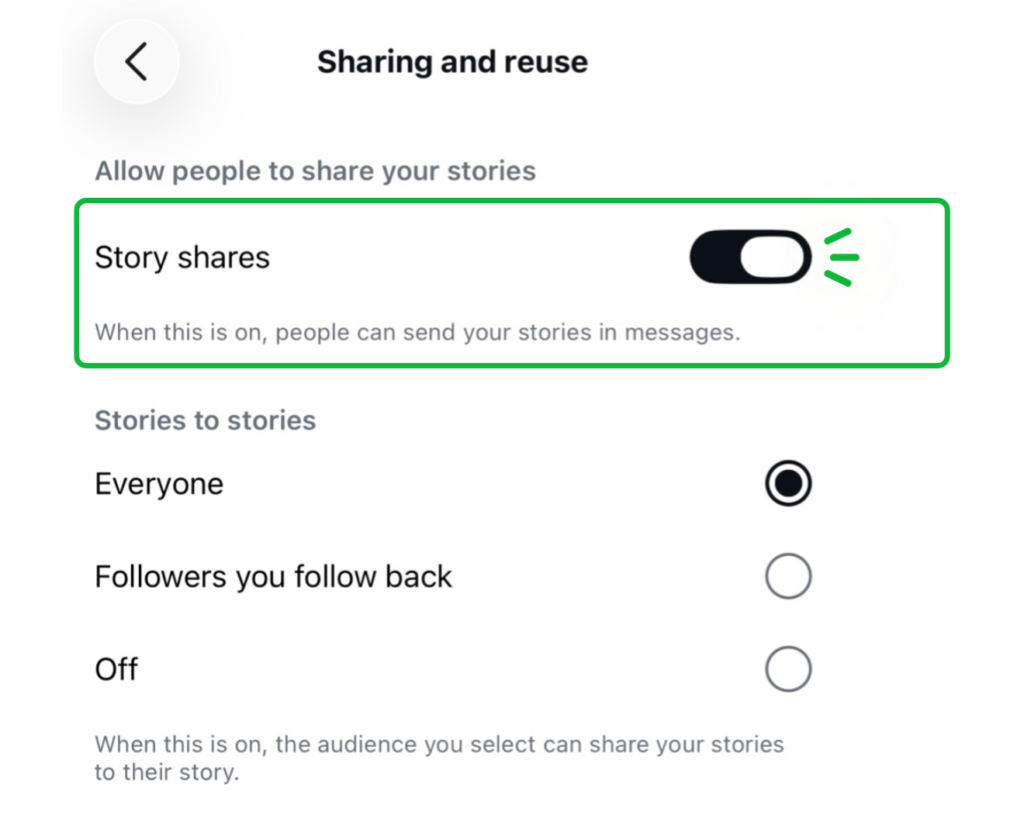
Under Allow people to share your stories, use the following settings:
- Story shares: On
This allows people to send the practice’s Stories through Instagram messages.
- Stories to stories: Everyone
This allows patients and families to share eligible practice Stories with their own audiences.
Under Allow people to share your posts and reels, keep these settings on:
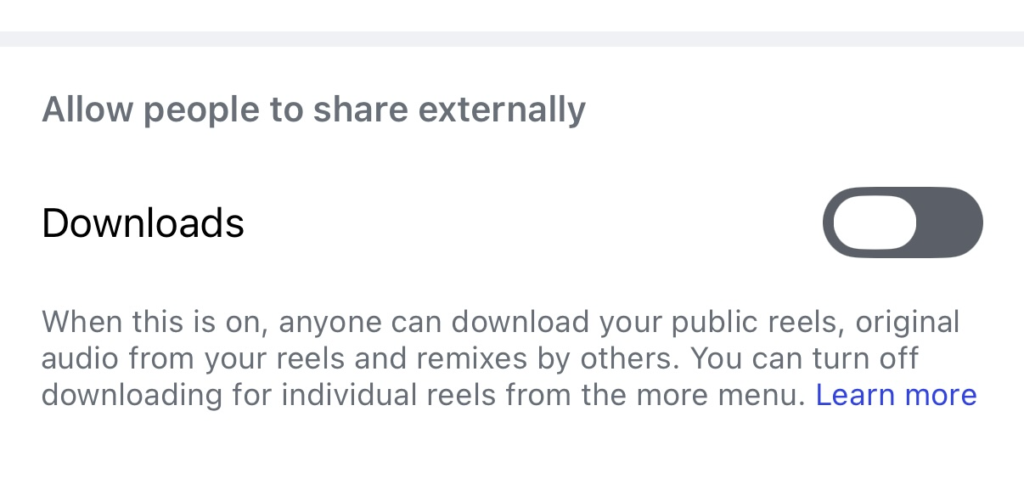
- Posts and reels to stories: On
- Reposts on posts and reels: On
These controls make it easier for patients and community members to share the practice’s original content. Instagram reposts remain credited to the original account and may introduce that content to the person’s followers.
Turn content reuse off
Under Allow people to create with and reuse your content, turn off:
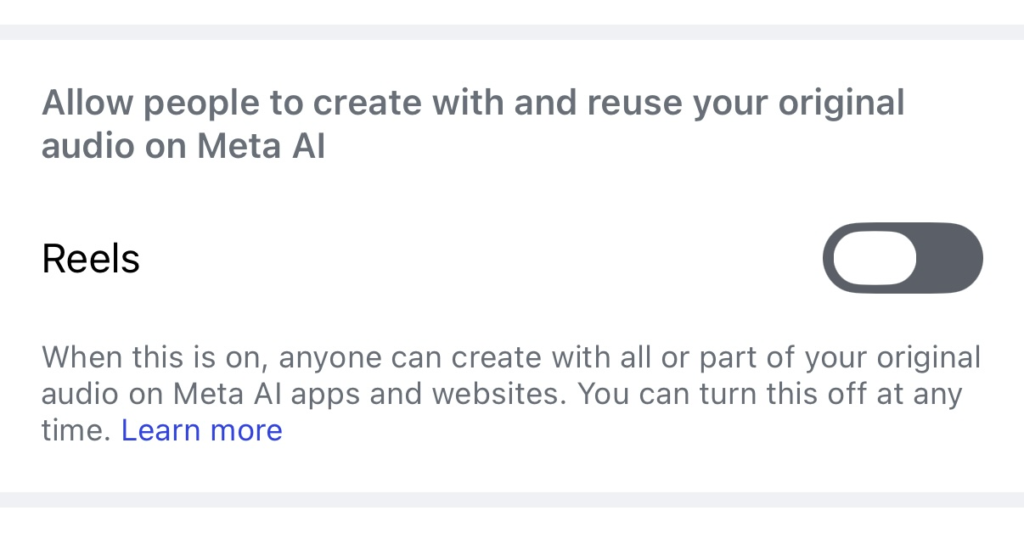
- Posts
- Reels
- Comments and captions with mentions
When these options are enabled, Instagram may allow content to be used in remixes, sequences, templates, stickers and other creations.
For most orthodontic practices, these uses offer limited benefit. Turning them off provides more control over how patient-facing content is repurposed within Instagram.
Turn Meta AI audio reuse off
Under Allow people to create with and reuse your original audio on Meta AI, turn off:
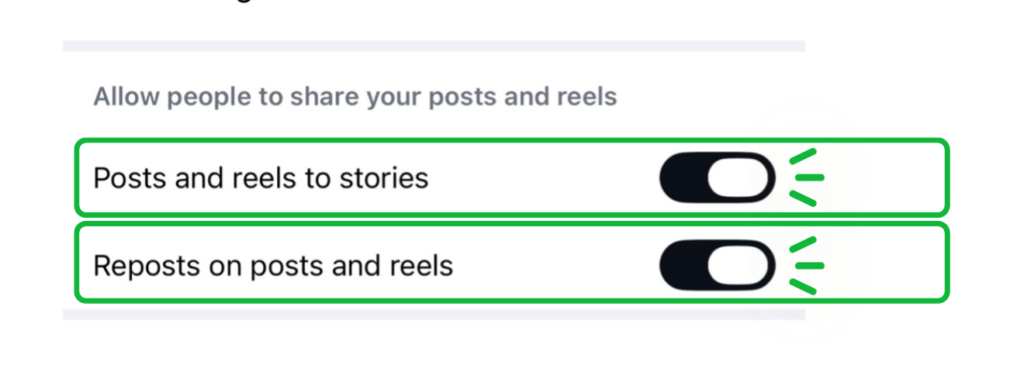
- Reels
When this setting is on, someone can create with all or part of the original audio from the practice’s Reels on Meta AI apps and websites. Because this setting may already be enabled, practices should not assume they are excluded simply because they never opted in. Open the setting and confirm that the Reels toggle is turned off. Instagram provides a specific toggle for enabling or disabling this use.
Turn downloads off
Under Allow people to share externally, turn off:
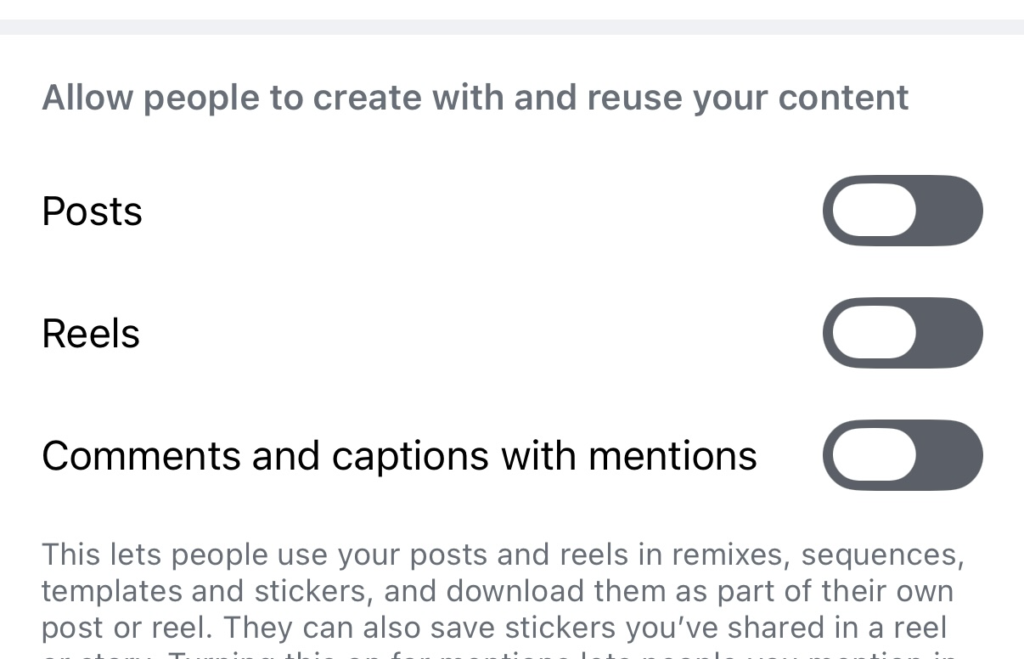
When downloads are enabled, people can download public Reels, original audio from those Reels and certain remixes directly through Instagram.
Disabling the setting removes one of the simplest built-in ways to save and republish the practice’s content.
How to review the settings described above
Open the Instagram app and make sure you are using the practice’s account.
- Tap the practice’s profile picture in the bottom-right corner.
- Tap the three-line menu in the upper-right corner.
- Select Sharing and reuse.
- Review the Story, post, Reel, reuse, Meta AI and download options.
The menu wording and placement may vary slightly depending on the account and app version. Instagram also tests and revises features regularly, so practices should review these settings periodically.
What changing the settings will accomplish
These adjustments add a useful layer of control. They reduce the ways Instagram allows other people to download, modify or incorporate the practice’s content into their own creations. They do not make public content impossible to copy.
Someone can still take a screenshot, record a screen or use an outside service to save publicly available content. Practices should continue to be thoughtful about every patient photo, video and treatment milestone they publish.
The recommended approach is simple: keep the sharing options that allow patients and families to celebrate and spread the practice’s original content, but turn off the tools that make it easier to download, alter or reuse that content through Instagram and Meta AI.
While Meta may have removed its most controversial new feature, the remaining settings are still worth reviewing.